 8177675465
Summary: This PR adds support for using SonarKit clients in Swift apps. Fixes #13, fixes #87 1. Swift can't import Obj-C modules which have C++ headers. For this reason, we use SonarKit as an Obj-C++ wrapper around Sonar, which is written in C++. Due to search path misconfiguration, trying to import SonarKit into a Swift project would import `xplat/Sonar/SonarPlugin.h` instead of `iOS/SonarKit/SonarPlugin.h`, which caused `file not found` errors for C++ stdlib imports like #28 because new projects don't have their search paths set up correctly. 2. The network and layout plugins have C++ definitions (struct methods, classes) in some of their headers. This causes the compiler to get confused for Swift projects, because it only supports importing Objective-C files in umbrella headers, meaning that the `SonarKit` won't build. 1. I updated the `HEADER_SEARCH_PATHS` of SonarKit.podspec's build configuration to include `${PODS_ROOT}/Headers/Private/SonarKit/**` first, which alleviates the search path issue. The Obj-C `Sample` project seems to have worked around this by including a hardcoded `${PODS_ROOT}/SonarKit/**` search path in the pbxproj, which is why Sample works but new projects (like those referenced in #28) don't. I removed this since it's no longer necessary. 2. I added a `SampleSwift` app to demonstrate using Sonar with a Swift project. 3. Because the Podfiles for `Sample` and `SampleSwift` referenced podspecs using `:podspec` instead of a concrete version, Cocoapods wouldn't copy local header files (instead, it downloads them from the source). To enable local development of these sample apps using `:path`, I added a symlink to SonarKit.podspec in the root of the directory. 4. I changed SonarKit.podspec to use a tag-based `source`, since v0.0.1 pulls from the master branch of this repo. The layout and network plugins still don't work with Swift - in order to fix this, we'll need to work on extracting the C++ out of their headers and writing Obj-C++ wrappers for them. I decided to push this off to a later PR since this one is quite large already. This means that we need to be able to `import SonarKit` without importing all the network/layout plugin headers. In order to make this work, I made "SonarKit/Core" the spec's `default_subspecs`. priteshrnandgaonkar, let me know if you have any thoughts on this implementation. You can verify that the SampleSwift app works by checking out this branch, `pod install`ing in the SampleSwift directory, and building it :) 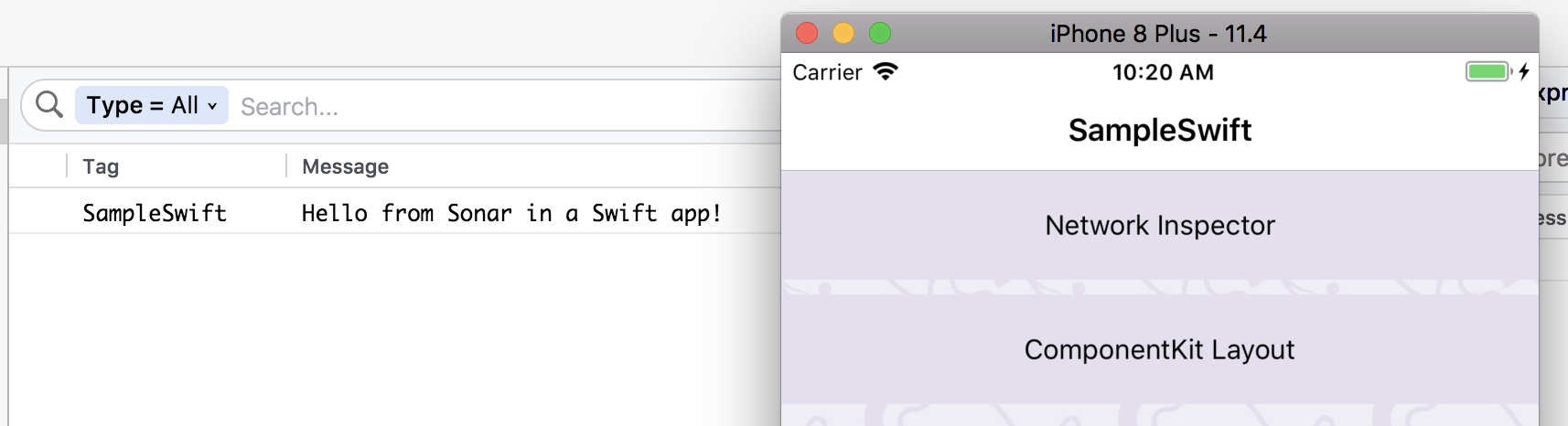 Pull Request resolved: https://github.com/facebook/Sonar/pull/106 Reviewed By: jknoxville Differential Revision: D8890010 Pulled By: priteshrnandgaonkar fbshipit-source-id: 449305bcc5cbeb5787c23f51b1ecb80a5cbdad32

4.1 KiB
id, title, sidebar_label
| id | title | sidebar_label |
|---|---|---|
| getting-started | Getting Started | Getting Started |
Sonar helps you debug Android and iOS apps running in an emulator/simulator or connected physical development devices. Sonar consists of two parts:
- The desktop app for macOS
- The native mobile SDKs for Android and iOS
To use Sonar, you need to add the mobile SDK to your app.
Setup
Desktop app
The desktop part of Sonar doesn't need any particular setup. Simply download the latest build of our app and launch it. The desktop app is available for macOS and requires a working installation of the Android/iOS development tools on your system.
Once you start Sonar and launch an emulator/simulator or connect a device, you will already be able to see the device logs in Sonar. To see app specific data, you need to integrate our native SDKs with your app.

Setup your Android app
Add the following permissions to your AndroidManifest.xml. The SDK needs these to communicate with the desktop app on localhost via adb. It won't make any external internet requests.
<uses-permission android:name="android.permission.INTERNET" />
<uses-permission android:name="android.permission.ACCESS_WIFI_STATE" />
Sonar is distributed via JCenter. Add dependencies to your build.gradle file.
repositories {
  jcenter()
}

dependencies {
  debugImplementation 'com.facebook.sonar:sonar:0.6.12'
}
Now you can initialize Sonar in your Application's onCreate-method like this:
public class MyApplication extends Application {

  @Override
  public void onCreate() {
    super.onCreate();
    SoLoader.init(this, false);

    if (BuildConfig.DEBUG && SonarUtils.shouldEnableSonar(this)) {
      final SonarClient client = AndroidSonarClient.getInstance(this);
      client.addPlugin(new MySonarPlugin());
      client.start();
    }
  }
}
Setup your iOS app
To integrate with an iOS app, you can use CocoaPods. Add the mobile Sonar SDK and its dependencies to your Podfile:
project 'MyApp.xcodeproj'
source 'https://github.com/facebook/Sonar.git'
source 'https://github.com/CocoaPods/Specs'
# Uncomment the next line to define a global platform for your project
swift_version = "4.1"
sonarkit_version = '0.6.12'

target 'MyApp' do

  pod 'SonarKit', '~>'+sonarkit_version
  post_install do |installer|

        installer.pods_project.targets.each do |target|
            if ['YogaKit'].include? target.name
                target.build_configurations.each do |config|
                    config.build_settings['SWIFT_VERSION'] = swift_version
                end
            end
        end
    end
end
and install the dependencies by running pod install. When you open the Xcode workspace file for your app, you now can import and initialize Sonar in your AppDelegate.
#import <SonarKit/SonarClient.h>

@implementation AppDelegate

- (BOOL)application:(UIApplication *)application didFinishLaunchingWithOptions:(NSDictionary *)launchOptions
{
#if DEBUG
  SonarClient *client = [SonarClient sharedClient];
  [client addPlugin:[MySonarPlugin new]];
  [client start];
#endif
  ...
}
@end
- We haven't released the dependency to CocoaPods yet, here is the issue by which you can track.
- If you do not use CocoaPods as a dependency management tool then currently there is no way to integrate SonarKit other than manually including all the dependencies and building it.
- For Android, Sonar works with both emulators and physical devices connected through USB. However on iOS, we don't yet support physical devices.
- The Sonar layout and network plugins aren't supported in Swift projects since they include C++ dependencies. We're working on supporting these plugins for Swift apps. You can join the discussion on the issues page.
Ready for takeoff
Finally, you need to add plugins to your Sonar client. See Network Plugin and Layout Inspector Plugin for information on how to add them.