Summary:
Add logic on client side
# How it works (from the code)
1. Server side sends request url and method to response data and headers to client side
1.1. This will happen every time server update **any** mock response (add, edit, and remove)
2. Client stores those in map
3. For every network request,
3.1. Check if there is a matching url and method
3.2. If so, create a new response with the data and headers and drop the request
3.3. If not, proceed and send the request and wait for a response
`addNetworkInterceptor` is changed to `addInterceptor` to allow short-circuit and proceed without fetching anything. More info can be found at https://square.github.io/okhttp/interceptors/
Note:
- This is an original PR.
- The content below is from original PR
Add network response mocking for Network plugin. See discussion [here](https://github.com/facebook/flipper/issues/475)
## Changelog
- Add Network response mocking, currently support Android clients only
- Change the Android example app to use `addInterceptor()` instead of `addNetworkInterceptor()`
Pull Request resolved: https://github.com/facebook/flipper/pull/488
Test Plan:
{F231673798}
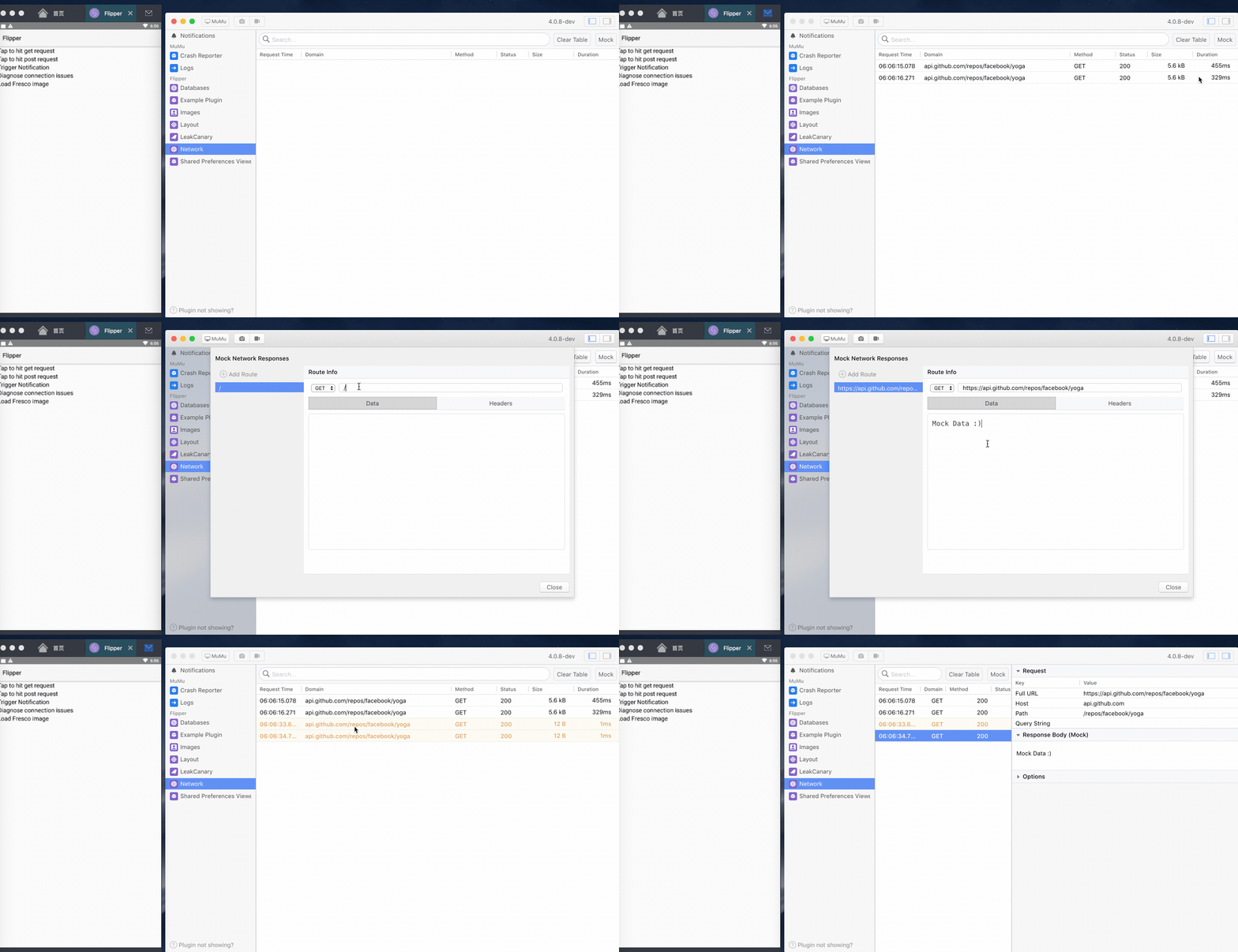
- Connect an Android device
- Tap on Network plugin
- Click on the Mock button
- Click on Add Route button, and specify the URL
- Edit the mock data in the text area
- Optionally, click the Headers tab to edit the headers data
- Click close button to close the dialog
- Send some network data in your application. You should be able to see the mock data appears in the Network table in those rows highlighted in yellow
Reviewed By: passy
Differential Revision: D16580291
Pulled By: cekkaewnumchai
fbshipit-source-id: fc391f5e7efebc6f51a72b00d16263e009e1fdb0
 d27e45d7bb
