 603c4c5fbc
Summary: Changed the podspec file to expose only those header files in public which are necessary. The exposed public header files have no c++ in it, thus due to this layout plugin now works for swift too. Fixes #174 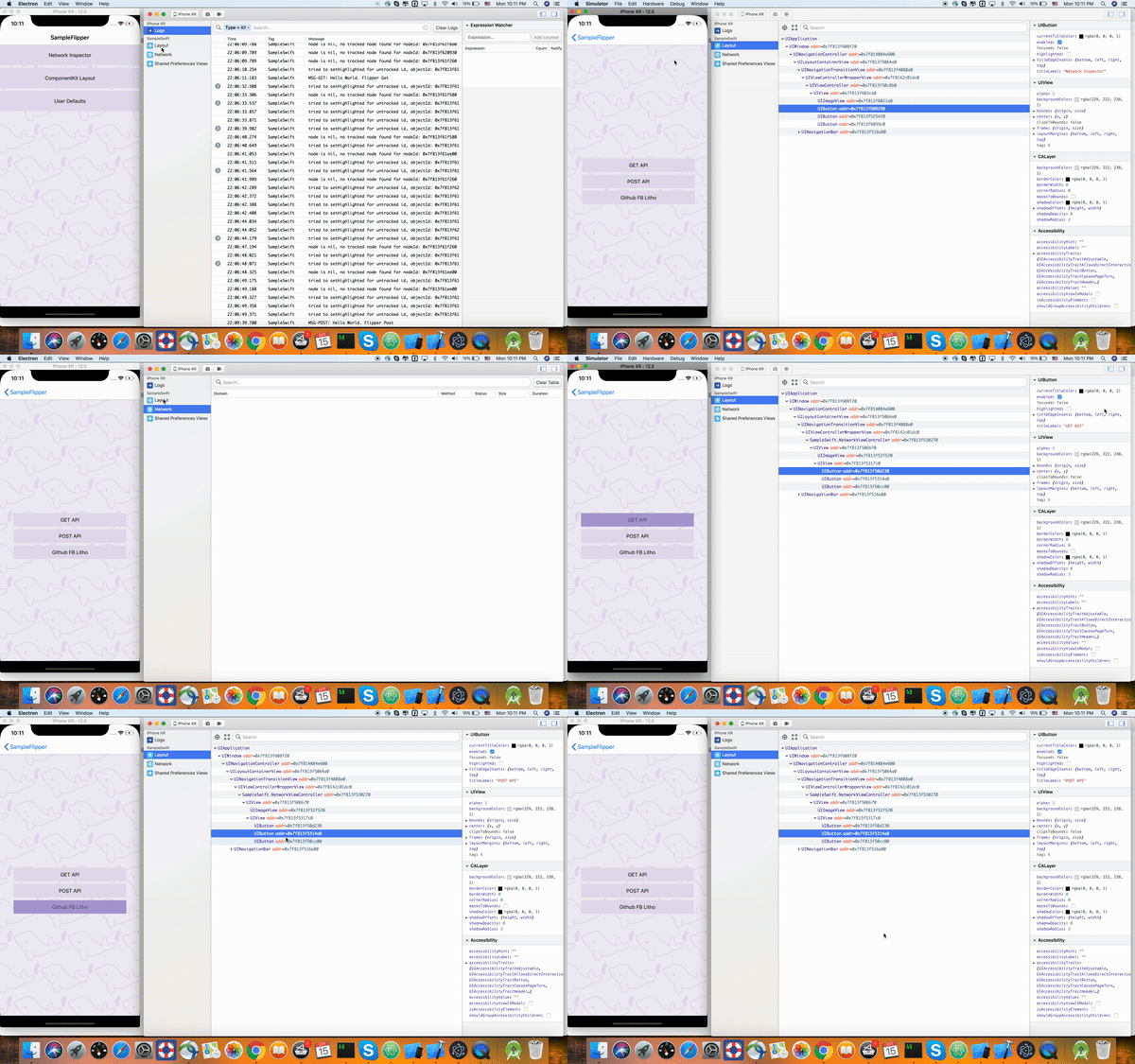 Pull Request resolved: https://github.com/facebook/flipper/pull/295 Reviewed By: passy Differential Revision: D10389202 Pulled By: priteshrnandgaonkar fbshipit-source-id: 0ecc428f8008dd3aac48a675a8b97bb610f8e9eb

5.6 KiB
id, title, sidebar_label
| id | title | sidebar_label |
|---|---|---|
| getting-started | Getting Started | Getting Started |
Flipper helps you debug Android and iOS apps running in an emulator/simulator or connected physical development devices. Flipper consists of two parts:
- The desktop app for macOS
- The native mobile SDKs for Android and iOS
To use Flipper, you need to add the mobile SDK to your app.
Setup
Desktop app
The desktop part of Flipper doesn't need any particular setup. Simply download the latest build of our app and launch it. The desktop app is available for macOS and requires a working installation of the Android/iOS development tools on your system.
Once you start Flipper and launch an emulator/simulator or connect a device, you will already be able to see the device logs in Flipper. To see app specific data, you need to integrate our native SDKs with your app.

Setup your Android app
Add the following permissions to your AndroidManifest.xml. The SDK needs these to communicate with the desktop app on localhost via adb. It won't make any external internet requests.
<uses-permission android:name="android.permission.INTERNET" />
<uses-permission android:name="android.permission.ACCESS_WIFI_STATE" />
It's recommended that you add the following activity to the manifest too, which can help diagnose integration issues and other problems:
<activity android:name="com.facebook.flipper.android.diagnostics.FlipperDiagnosticActivity"
        android:exported="true"/>
Flipper is distributed via JCenter. Add dependencies to your build.gradle file.
repositories {
  jcenter()
}

dependencies {
  debugImplementation 'com.facebook.flipper:flipper:0.9.0'
}
Now you can initialize Flipper in your Application's onCreate-method like this:
public class MyApplication extends Application {

  @Override
  public void onCreate() {
    super.onCreate();
    SoLoader.init(this, false);

    if (BuildConfig.DEBUG && FlipperUtils.shouldEnableFlipper(this)) {
      final FlipperClient client = AndroidFlipperClient.getInstance(this);
      client.addPlugin(new InspectorFlipperPlugin(this, DescriptorMapping.withDefaults()));
      client.start();
    }
  }
}
Android Snapshots
Feeling adventurous? We publish Android snapshot releases directly off of master.
You can get the latest version by adding the Maven Snapshot repository to your sources
and pointing to the most recent -SNAPSHOT version.
repositories {
  maven { url 'https://oss.sonatype.org/content/repositories/snapshots/' }
}

dependencies {
  debugImplementation 'com.facebook.flipper:flipper:0.9.0'
}
Setup your iOS app
To integrate with an iOS app, you can use CocoaPods. Add the mobile Flipper SDK and its dependencies to your Podfile:
project 'MyApp.xcodeproj'
source 'https://github.com/facebook/flipper.git'
source 'https://github.com/CocoaPods/Specs'
swift_version = "4.1"
flipperkit_version = '0.9.0'

target 'MyApp' do
  platform :ios, '9.0'
  pod 'FlipperKit', '~>'+flipperkit_version
  # Layout and network plugins are not yet supported for swift projects
  pod 'FlipperKit/FlipperKitLayoutComponentKitSupport', '~>' + flipperkit_version
  pod 'FlipperKit/SKIOSNetworkPlugin', '~>' + flipperkit_version
  pod 'FlipperKit/FlipperKitUserDefaultsPlugin', '~>' + flipperkit_version

  post_install do |installer|

        installer.pods_project.targets.each do |target|
            if ['YogaKit'].include? target.name
                target.build_configurations.each do |config|
                    config.build_settings['SWIFT_VERSION'] = swift_version
                end
            end
        end
    end
end
and install the dependencies by running pod install. When you open the Xcode workspace file for your app, you now can import and initialize Flipper in your AppDelegate.
#import <FlipperKit/FlipperClient.h>
#import <FlipperKitUserDefaultsPlugin/FKUserDefaultsPlugin.h>

@implementation AppDelegate

- (BOOL)application:(UIApplication *)application didFinishLaunchingWithOptions:(NSDictionary *)launchOptions
{
#if DEBUG
  FlipperClient *client = [FlipperClient sharedClient];
  SKDescriptorMapper *layoutDescriptorMapper = [[SKDescriptorMapper alloc] initWithDefaults];
  [client addPlugin:[[FlipperKitLayoutPlugin alloc] initWithRootNode: application
                                                  withDescriptorMapper: layoutDescriptorMapper]];
  [client addPlugin:[[FKUserDefaultsPlugin alloc] initWithSuiteName:nil]];

  [client start];
#endif
  ...
}
@end
- We haven't released the dependency to CocoaPods yet, here is the issue by which you can track.
- If you do not use CocoaPods as a dependency management tool then currently there is no way to integrate FlipperKit other than manually including all the dependencies and building it.
- For Android, Flipper works with both emulators and physical devices connected through USB. However on iOS, we don't yet support physical devices.
Ready for takeoff
Finally, you need to add plugins to your Flipper client. Above we have only added the Layout Inspector plugin to get you started. See Network Plugin and Layout Inspector Plugin for information on how to add them, and also enable Litho or ComponentKit support. You can check the sample apps in the GitHub repo for examples of integrating other plugins.
Having trouble?
See the troubleshooting page for help with known problems.